Sprite Sheets vs. Animated GIFs vs. APNG: Which Should You Use?
When bringing 2D animation to web applications, game engines, or digital media, choosing the right file format can mean the difference between a lightning-fast user experience and a sluggish, battery-draining interface.
Three primary formats dominate the 2D animation landscape: Sprite Sheets (PNG/WebP), Animated GIFs, and Animated PNGs (APNG).
While they might appear to deliver similar visual motion on screen, the way they store image data, consume GPU memory, and execute rendering under the hood is vastly different.
In this deep dive, we compare Sprite Sheets, GIFs, and APNG across color depth, transparency, CPU/GPU performance, and practical use cases.
Feature & Performance Breakdown
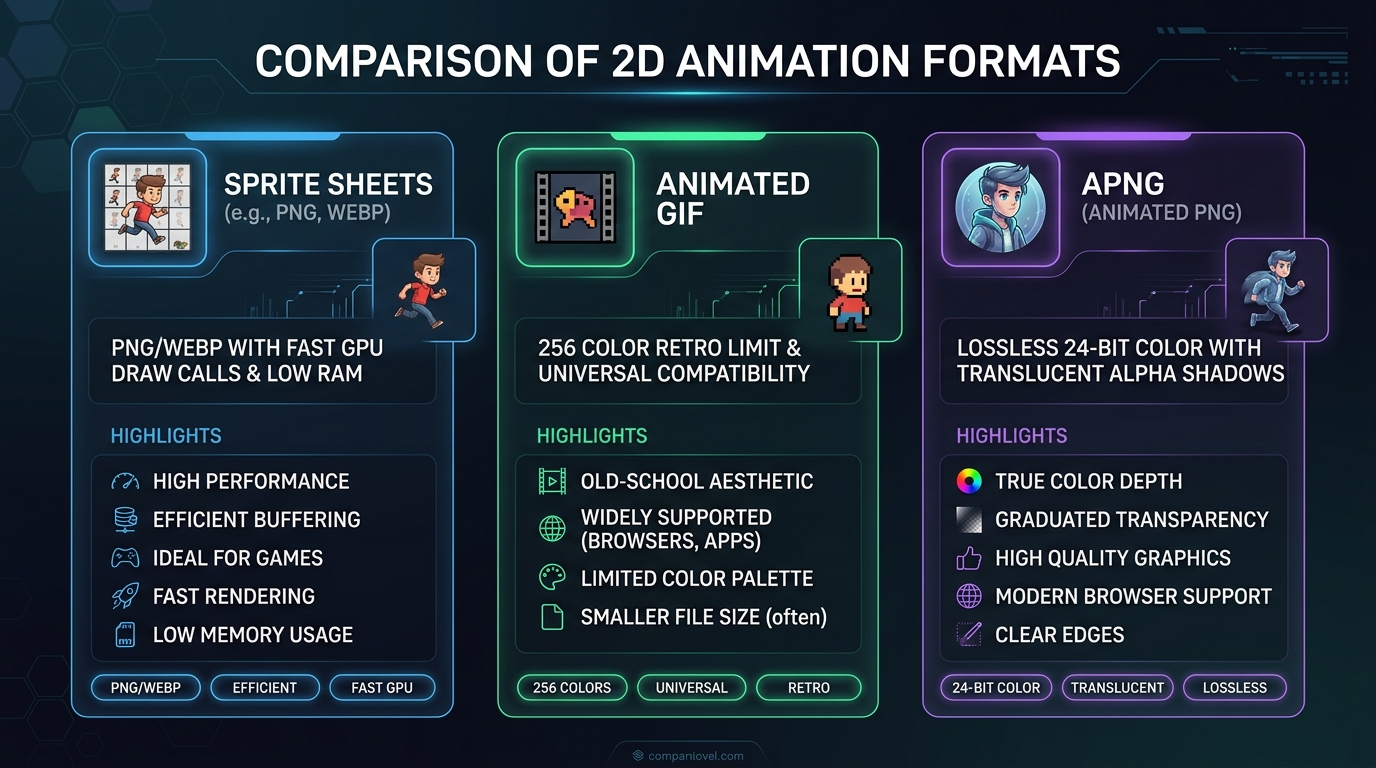
| Metric | Sprite Sheet (PNG/WebP) | Animated GIF | Animated PNG (APNG) |
|---|---|---|---|
| Max Color Depth | 24-bit Truecolor (16.7M colors) | 8-bit Indexed (256 colors max) | 24-bit Truecolor (16.7M colors) |
| Alpha Transparency | 8-bit Alpha (Smooth gradient edges) | 1-bit Binary (On/Off only, jagged edges) | 8-bit Alpha (Smooth gradient edges) |
| Memory Consumption | Single GPU texture bind (Minimal) | Decoded frame cache per frame (High) | Decoded buffer per frame (High) |
| Animation Control | Full (Play, pause, reverse, speed) | None (Browser loop control only) | None (Plays automatically) |
| Browser Compatibility | 100% via CSS / Canvas | 100% Native | 98%+ Modern Browsers |
| Ideal Environment | Games, Web UIs, Interactive apps | Social media, Discord, Chat embeds | High-res stickers, marketing banners |
1. Sprite Sheets: The Game Dev & Performance King
A sprite sheet packs multiple animation frames into a single flat image file.
Why Sprite Sheets Win on Performance:
- Single Draw Call: Game engines and WebGL renderers load one texture into GPU VRAM once. When rendering frames, the engine simply shifts UV texture coordinates—incurring practically zero CPU overhead.
- Dynamic Programmatic Control: Unlike static video files, you can dynamically pause, reverse, accelerate, or interrupt a sprite sheet animation in response to user input (e.g., stopping a walk cycle the moment the player releases a key).
Best For:
2D game engines (Unity, Godot, Unreal, Phaser), complex UI interactions, and high-framerate interactive components.
2. Animated GIFs: The Universal Sharing Standard
Created back in 1987, the Graphics Interchange Format (GIF) remains the world’s most widely supported animated image format.
Limitations of GIF:
- 256 Color Limit: GIFs cannot display true photographic or high-color gradients without noticeable dithering or color banding.
- No Semi-Transparency: Because GIF transparency is 1-bit (a pixel is either 100% visible or completely invisible), edges often show ugly white or black halos around character contours when placed on dark backgrounds.
- High Memory Overhead: Browsers decode every frame into separate in-memory bitmaps, which can cause significant RAM spikes if you embed dozens of large GIFs on a single webpage.
Best For:
Twitter/X posts, Discord stickers, GitHub pull request demos, documentation previews, and emails.
(Need to turn your game texture sheets into shareable GIFs? Use our free spritesheet to gif converter).
3. APNG (Animated PNG): Crisp Colors & True Alpha
APNG is an extension of the PNG format that brings animation support while preserving full 24-bit color and 8-bit alpha channels.
Advantages of APNG:
- Flawless Alpha Blending: Unlike GIFs, APNG smoothly blends translucent drop shadows, glowing magical effects, and smoke particles over any website background without jagged edges.
- Superior Quality: No 256-color restriction—every frame enjoys full photographic clarity.
Trade-offs:
- Large File Sizes: High color depth across multiple frames means APNG file sizes can be significantly larger than compressed MP4 or WebP alternatives.
Best For:
High-fidelity website logo animations, Discord animated emojis, and iOS iMessage sticker packs.
The Verdict: Which Format Should You Choose?
- For Video Games & Interactive Web UIs: Always use Sprite Sheets. They offer unparalleled GPU performance, tiny memory footprints, and complete programmatic control.
- For Social Media, Documentation & Community Sharing: Use Animated GIFs for effortless, guaranteed compatibility across every device and platform.
- For High-End UI Graphics & Translucent Web Overlays: Use APNG or Animated WebP to achieve pristine visual clarity and smooth alpha transparency.