Create 2D Game Sprites & Animations
Powered by Generative AI
Turn plain English text prompts into 4×4 sprite sheets, transform static character concept art into multi-directional walk cycles, and automatically smooth choppy animations with neural optical inbetweening.
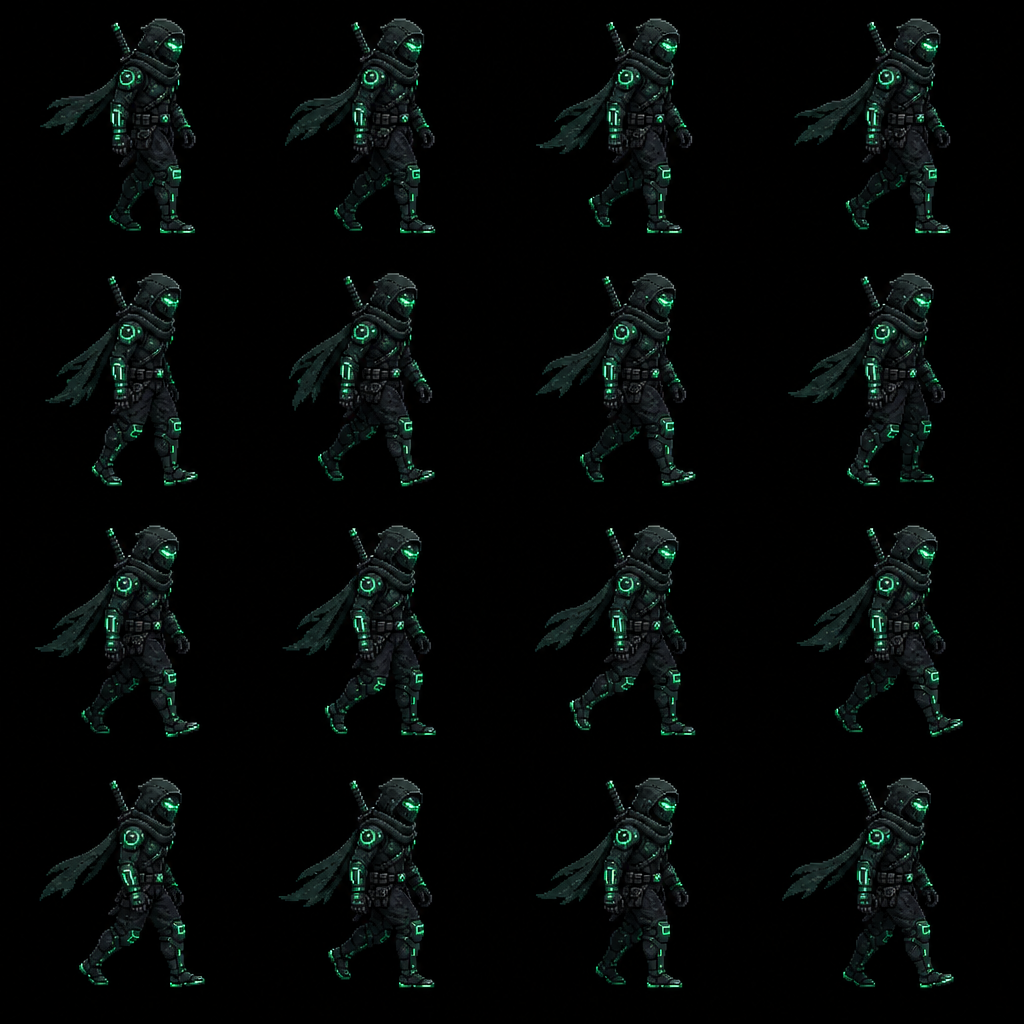
Instant 4×4 Sprite Sheet Generation
Describe your character, weapon, or effect in plain text. The AI locks anatomy, silhouette, and color palette across 16 sequential animation frames in a uniform 4×4 matrix.
"Cyberpunk neon ninja in stealth armor, running forward walk cycle, 32x32 retro pixel art"
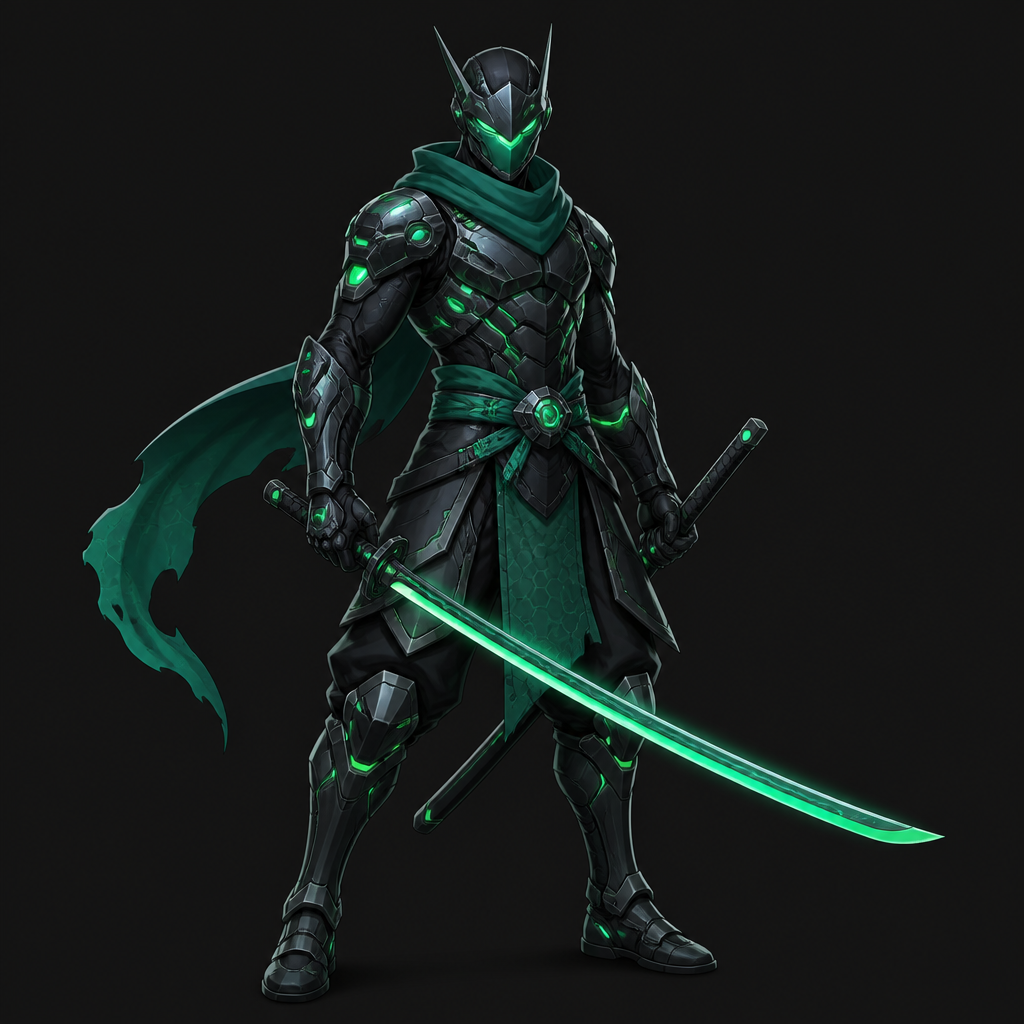
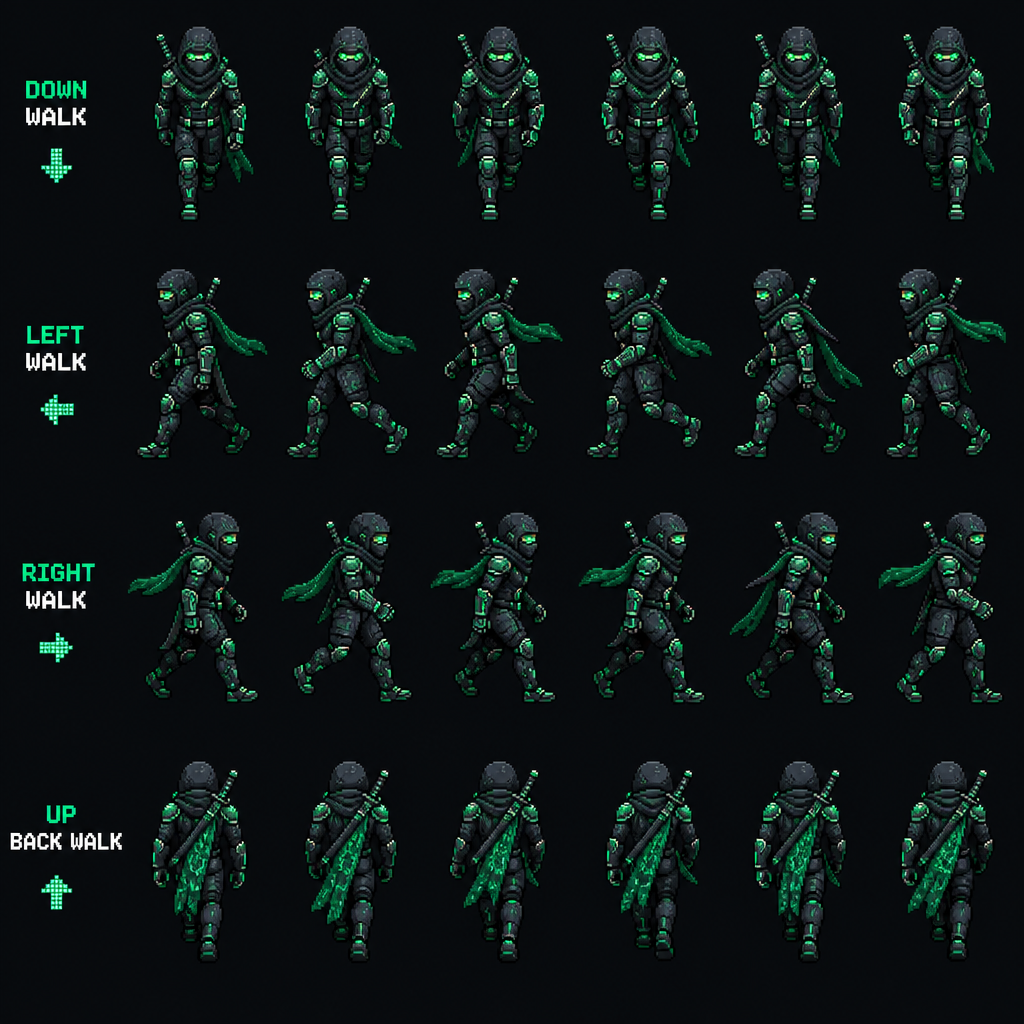
Turn Single Sketches into Multi-Angle Sprites
Upload any static character illustration. The AI locks costume colors, weapons, and anatomy while synthesizing complete Down, Left, Right, and Up walking loops.
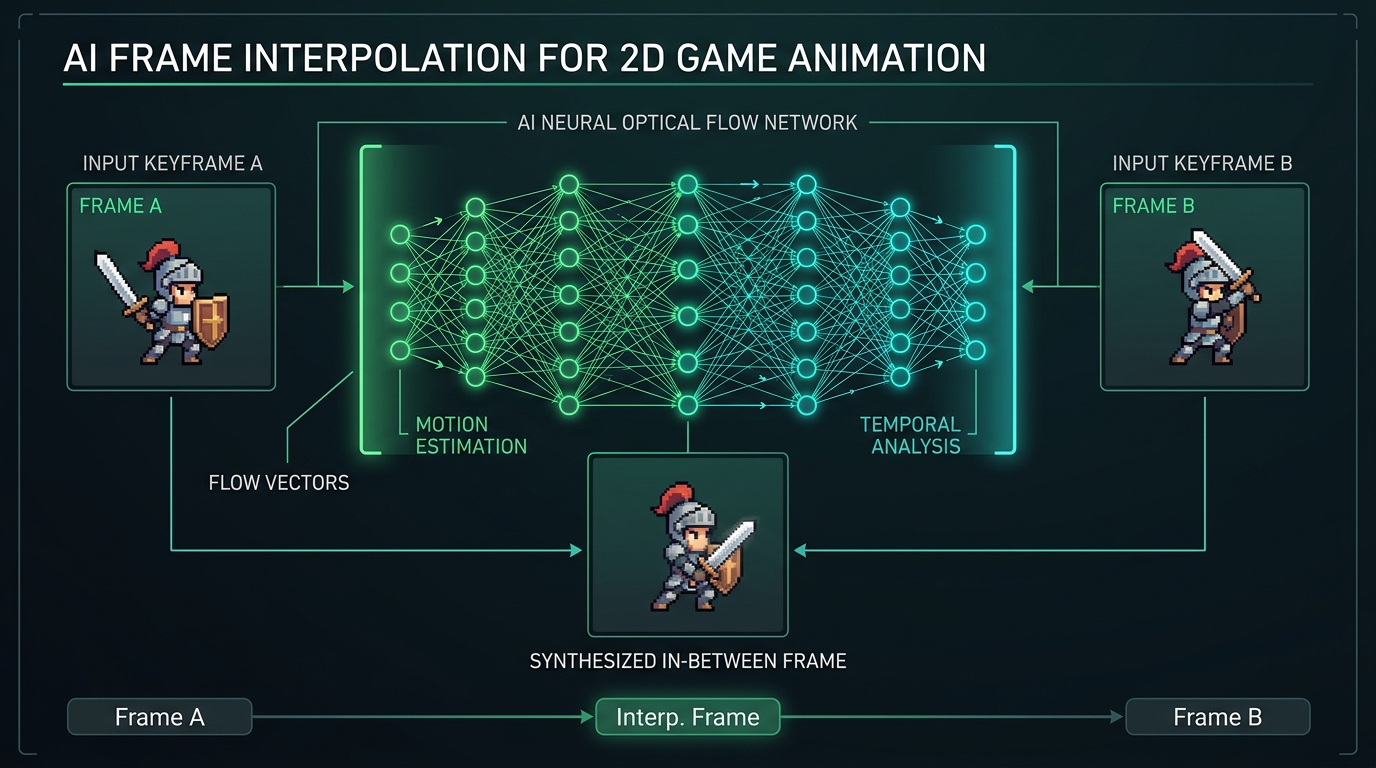
Neural Optical Frame Interpolation (Inbetweening)
Have a rough 4-frame sketch? Our optical flow and neural inbetweening algorithms automatically generate intermediate frames, doubling your animation smoothness up to 24 or 60 FPS.
How Neural Optical Inbetweening Works
Standard video interpolation models blur 2D pixel art. Sprite2GIF uses palette-constrained motion vector estimation: it tracks limb velocity vectors between Keyframe A and Keyframe B, hallucinating natural transition poses while locking pixel outlines to your original retro color palette.
Why Game Studios Choose Sprite2GIF AI Studio
1. Zero Style Drift Between Angles
Standard image generators fail because character armor, hair color, and weapon details change from frame to frame. Our conditioning models fix the visual seed so character features remain 100% consistent across all walking directions.
2. Optical Auto-Stabilization
Raw generative animations often wobble vertically. Our optical engine calculates non-transparent pixel boundaries to anchor feet directly to a solid ground baseline, eliminating unwanted animation jitter.
3. Instant Multi-Engine Exports
One click generates texture sheets formatted for Unity 2D Sprite Editor, Godot 4 AnimatedSprite2D, Phaser 3, and Unreal Engine Paper2D Flipbooks.
4. Confidential & Safe for Commercial IP
All file slicing, grid packing, and GIF rendering occur client-side in your local browser sandbox—keeping your proprietary indie game assets private.
Pay As You Go. No Subscriptions.
The Sprite2GIF animation editor is 100% free. Top up AI credits whenever you want to generate full sprite sheets or engineered prompts.
100 AI Credits
- 100 AI Prompt engineering runs
- or ~33 Full AI sprite sheets (3 credits/sheet)
- Valid for 30 days (1 month)
- One-time payment (No auto-renew)
250 AI Credits
- 250 AI Prompt engineering runs
- or ~83 Full AI sprite sheets (3 credits/sheet)
- Save 20% compared to Starter ($0.08/credit)
- Valid for 30 days (1 month)
600 AI Credits
- 600 AI Prompt engineering runs
- or 200 Full AI sprite sheets (3 credits/sheet)
- Best value (Save 35% • $0.066/credit)
- Valid for 30 days (1 month)
⚡ One-time purchase. No subscriptions. Unused credits expire after 30 days (1 month). Enterprise-grade security with encrypted webhook signatures and SOC 2 compliance.
Frequently Asked Questions
Have questions about sprite stabilization or exports? We've got answers.
Why does my sprite animation wobble when exported as a GIF? +
Wobble occurs when frames in a spritesheet have inconsistent padding or varying content offsets. Sprite2GIF auto-alignment calculates the exact content bounding box of every frame and centers or grounds them relative to a chosen anchor.
Is my artwork uploaded to an external server? +
No. Sprite2GIF runs 100% inside your local browser using HTML5 Canvas. Your spritesheet images are never transmitted or stored on remote servers.
How does background color removal work? +
Our background keying engine inspects corner pixels or user-selected hex colors and removes matching background pixels with adjustable color tolerance. Inner color protection ensures character highlights or white eyes are preserved.
What export formats are supported? +
You can export as an animated GIF, modern animated WebP, a clean reconstructed PNG spritesheet, or a ZIP archive containing individual PNG frames.
Can I manually adjust single frame offsets? +
Yes! In the filmstrip timeline, every frame features 1px micro-nudge arrow buttons so you can fine-tune offsets or disable unwanted frames.
Ready to Fix Your Shaky Sprite Sheets?
No registration required. Upload your sprite sheet and export clean, stabilized animations in seconds.